Plexii vs Notion: a desk on your computer, or a workspace in the cloud?
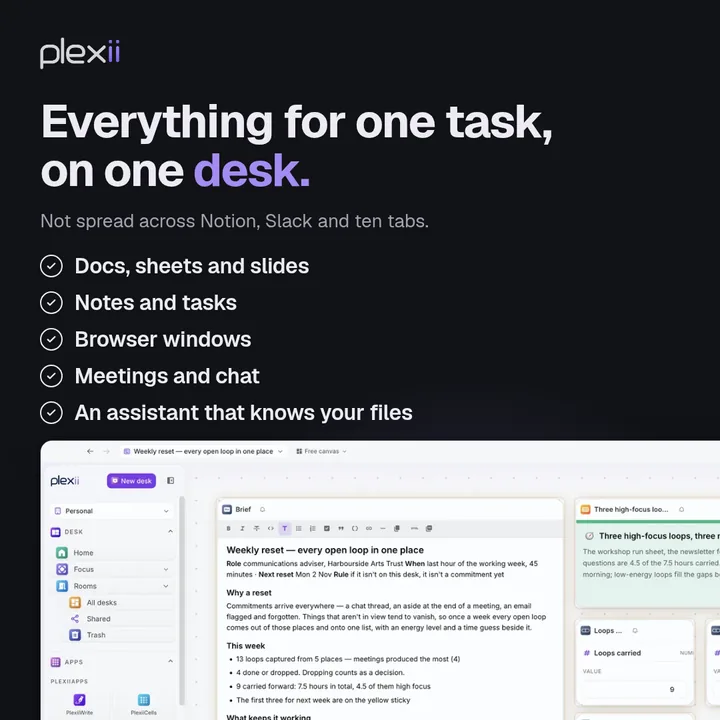
One desk instead of ten apps: each task's files, notes and browser, on your computer.
Short answer
Notion is a cloud workspace for pages and databases, and you can keep some pages offline. Plexii is a desktop app for Mac and Windows. It puts each task's documents, sheets, notes and live browser on one desk, stored on your computer first. Pick Notion for a shared online wiki or database. Pick Plexii when you want the working files and their sources on your own computer.
What Notion does really well
Notion is a strong cloud workspace for pages, databases and shared wikis. Teams can build a knowledge base and structured databases that live in the browser, with Notion Calendar and Notion AI on the same platform. If your work is a shared online wiki or database, Notion is built for that job.
What Plexii is for
Plexii is a desktop app for Mac and Windows. Each task gets its own desk: notes, tables, files, a live browser and office documents, stored on your computer first, and it works offline. That is a different job from a cloud wiki.
Plexii and Notion side by side
Prices checked 12 Nov 2026.
| Question | Plexii | Notion |
|---|---|---|
| What it is | A canvas of task desks. Each desk holds notes, tables, files, a live browser and office documents. | A cloud workspace with pages, databases, forms, sites, Notion Calendar and Notion AI. |
| Where it runs | Desktop app for Mac and Windows. | In the browser, with a desktop app. Check Notion's site for the current app list before adding more. |
| Offline and storage | Stored on your computer first and works offline. Sync is encrypted in transit, and isn't end to end encrypted. | Notion's pricing page says you can choose pages to download for offline use, and on paid plans your recent and favourite pages download automatically. |
| Documents | Opens and exports Word, Excel and PowerPoint files, and edits them in PlexiiWrite, PlexiiCells and PlexiiDeck. | Pages made of blocks, plus databases. Check Notion's help centre before saying anything about export. |
| Free to use? | Yes. Free to download. | Yes, for individuals, at US$0. |
| Paid price | See Pricing. | Paid plans start at US$10 per member a month. Notion's pricing page lists the rest. |
| Students | Free to download, like everyone else. | Notion says students and educators get its US$10 plan free for one member with a school email. |
When to stay with Notion
Stay with Notion if you need a shared team wiki or database in the browser, or if you want to work on a phone. Plexii is a desktop app and does not run on a phone.
When to try Plexii
Try Plexii when the working file and its sources should live on your computer, on one desk: the draft, the figures sheet and the source page, side by side, and available offline.
When Plexii isn't the right fit
Plexii isn't the right fit if you need a team wiki in the browser, or a phone app.
How a desk is different from a Notion page
Take a report. On a Plexii desk you can keep the draft, a figures sheet and the source page open together, then come back tomorrow and find them as you left them. A Notion page is a strong place to write and organise that work in a shared cloud workspace. The difference is whether the working files live on your computer, on one desk, or in a cloud workspace of pages and databases.
Keep the work for one task on one desk.
Pricing
Plexii is free to download. Details live on the Plexii pricing page. Notion's prices above were taken from notion.com/pricing on 12 Nov 2026, copied as shown (the US$10 figure is listed per member a month; the page does not say whether that is billed monthly or yearly). Re-check official pages if you are deciding later.
Questions
Is Plexii a Notion alternative?
Yes, if you want a desktop workspace with the working files for each task on one desk. It isn't a copy of Notion's databases or wiki.
Does Plexii work offline?
Yes. Your work lives on your computer first and works offline. While you're signed in it syncs to your account. That sync is encrypted in transit, and isn't end to end encrypted.
Can I use Plexii for free?
Yes. Plexii is free to download for Mac and Windows.
Does Plexii run in a browser or on a phone?
No. Plexii is a desktop app for Mac and Windows.
Is there a student deal?
Notion gives students and educators a paid plan free with a school email. Plexii is already free to download. Both pricing pages have the details.
Download Plexii free for Mac or Windows.
Prices checked 12 Nov 2026, against the official pages: notion.com/pricing, notion.com/desktop, plexiidesk.com/product and plexiidesk.com/pricing. Graphic claims on this page (one desk per task; docs, sheets, notes, tasks and a live browser together; “free forever for personal use” on the artwork) were checked against the live Plexii site on 12 Nov 2026: plexiidesk.com, /product and /download. Notion and Slack appear on the graphic only as plain text, with no logos, and only as the user's own juggling. “Ten apps” and “ten tabs” are illustrative framing, not a measured statistic. The 9:16 versions of the graphic are not used on this page.