Skip to content

Everything in PlexiDesk.

A canvas workspace, a full office suite, an assistant that knows your documents, and the meetings, mail, chat and people around your work. Here is what each part does and why it matters.

PlexiDesk canvas

Every task gets its own desk.

A desk holds the notes, tables, browser windows, files, timers, sketches, diagrams and mind maps that belong to one piece of work, arranged wherever you want them. Open a desk and you drop straight back into that work.

  • Widgets for everything: sticky and Markdown notes, tables with six views, an embedded live browser, files, focus timers, a calendar, forms.
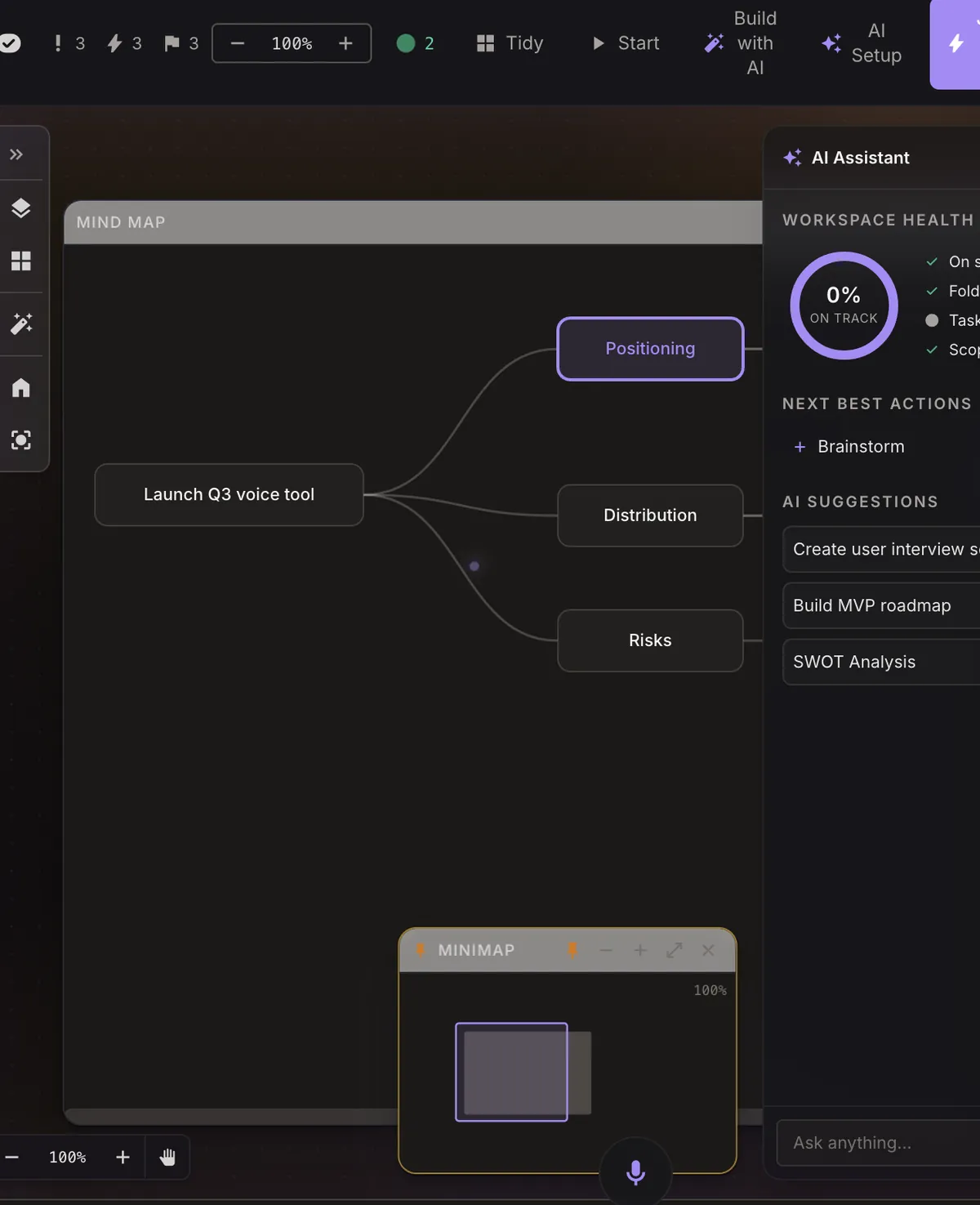
  • Think visually: mind maps with suggested branches, a pressure-sensitive scratchpad, and node-and-edge diagrams.
  • Arrange freely: link widgets with ghost lines, drill into one full-screen, pan in any direction, or auto-arrange in a click.
  • Build a desk from a sentence: describe what you need and Plexii lays it out.

Close a desk and the clutter goes with it. Open it tomorrow and you pick up exactly where you stopped.
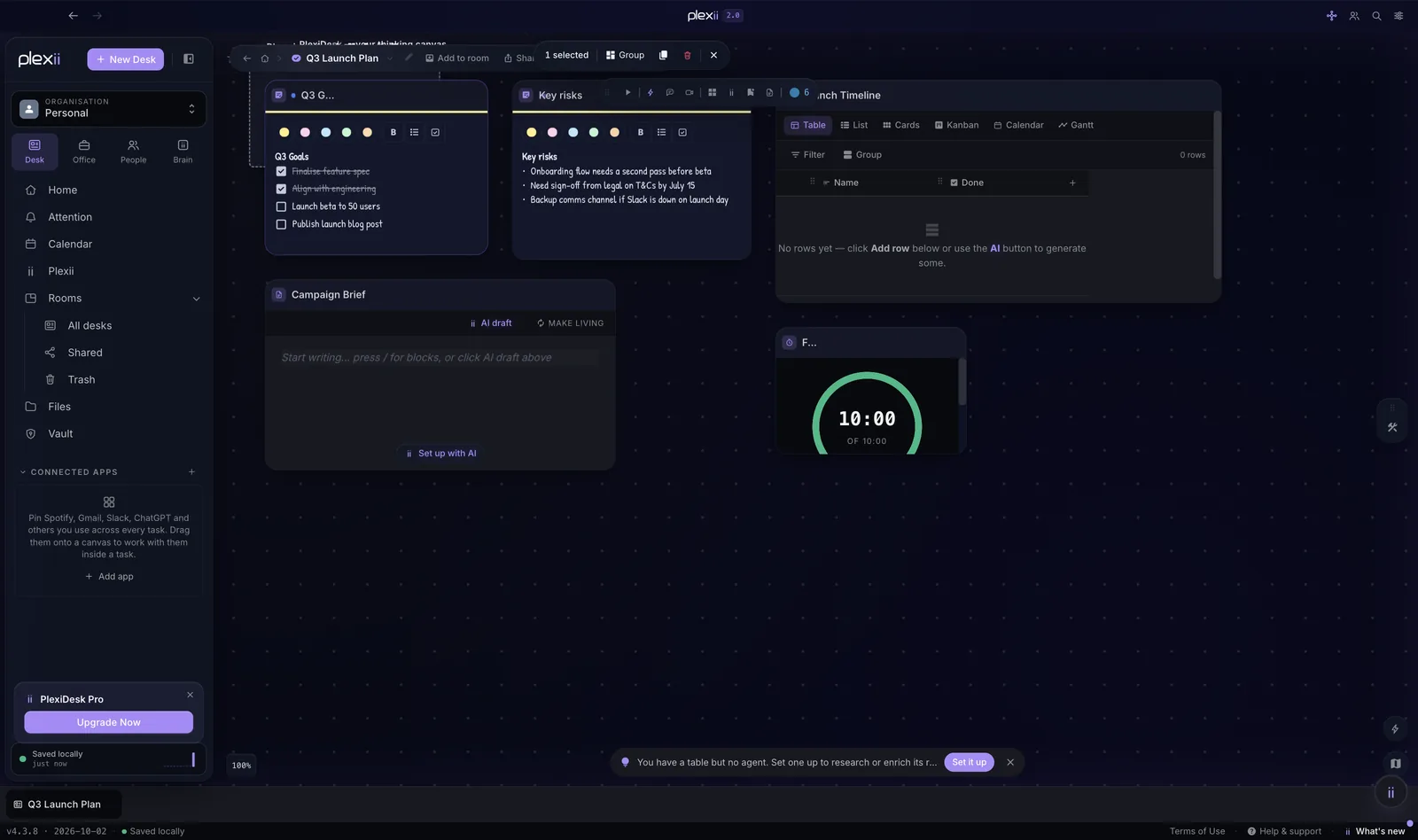
Selecting a widget on a desk to group, duplicate or remove it
Select widgets to group, duplicate or arrange them.

PlexiOffice

A full office suite, on the canvas.

Docs, Sheets, Slides, Draw and Design each have the File, Edit, Insert and Format menu bar you already know, and every menu item does something real. Open your Word, Excel, PowerPoint and Visio files and hand them back the way you saved them.

  • PlexiDocs: real pages, Track Changes, comments with @mentions, export to Word, PDF or web.
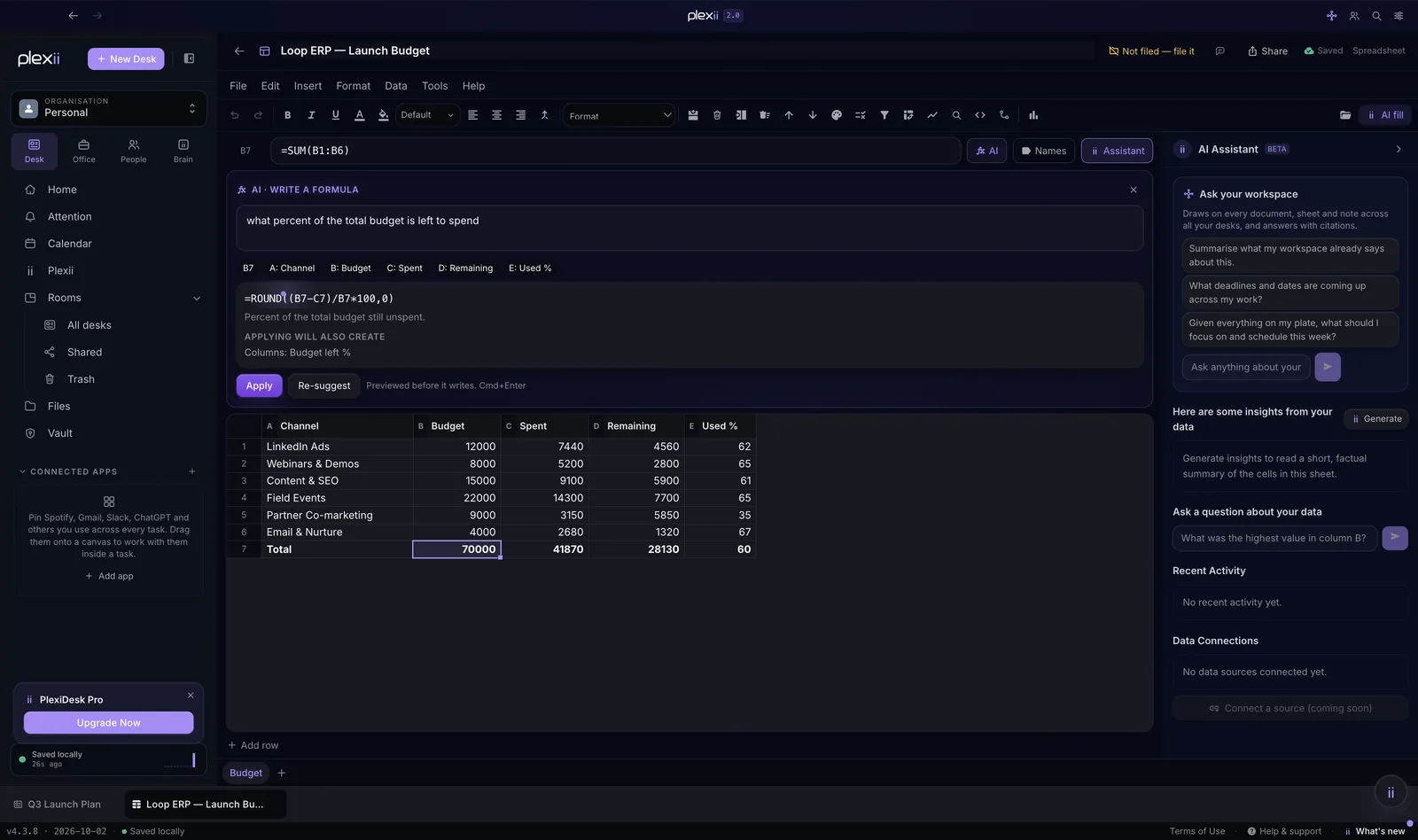
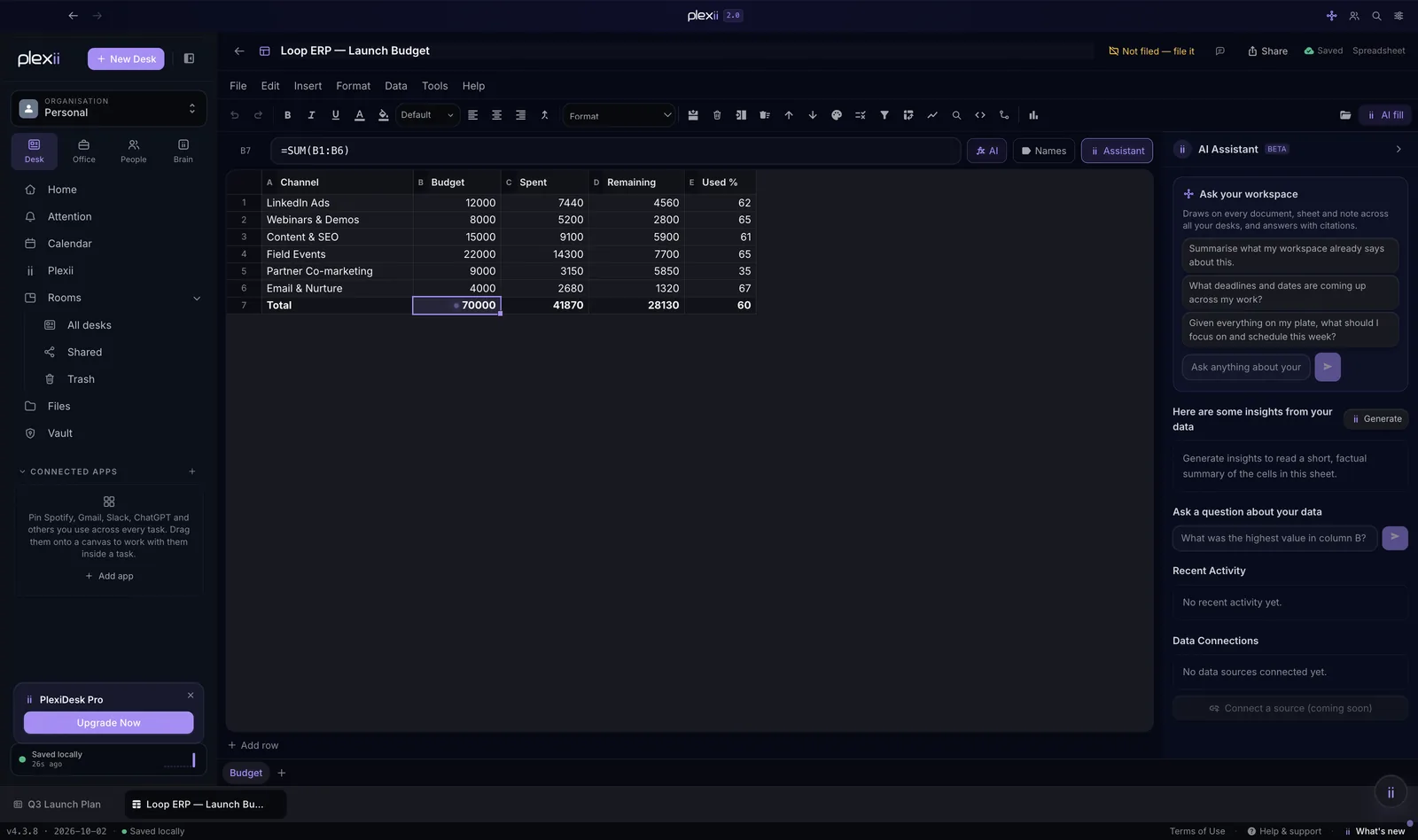
  • PlexiSheets: a formula engine with LET and LAMBDA, charts, pivot tables, conditional formatting and sparklines. Describe a calculation and Plexii writes the formula.
  • PlexiSlides: charts driven by live sheet data, speaker notes, transitions and a present mode.
  • PlexiDraw and PlexiDesign: diagrams, brand-aware templates, a font library, stock photos and background removal.
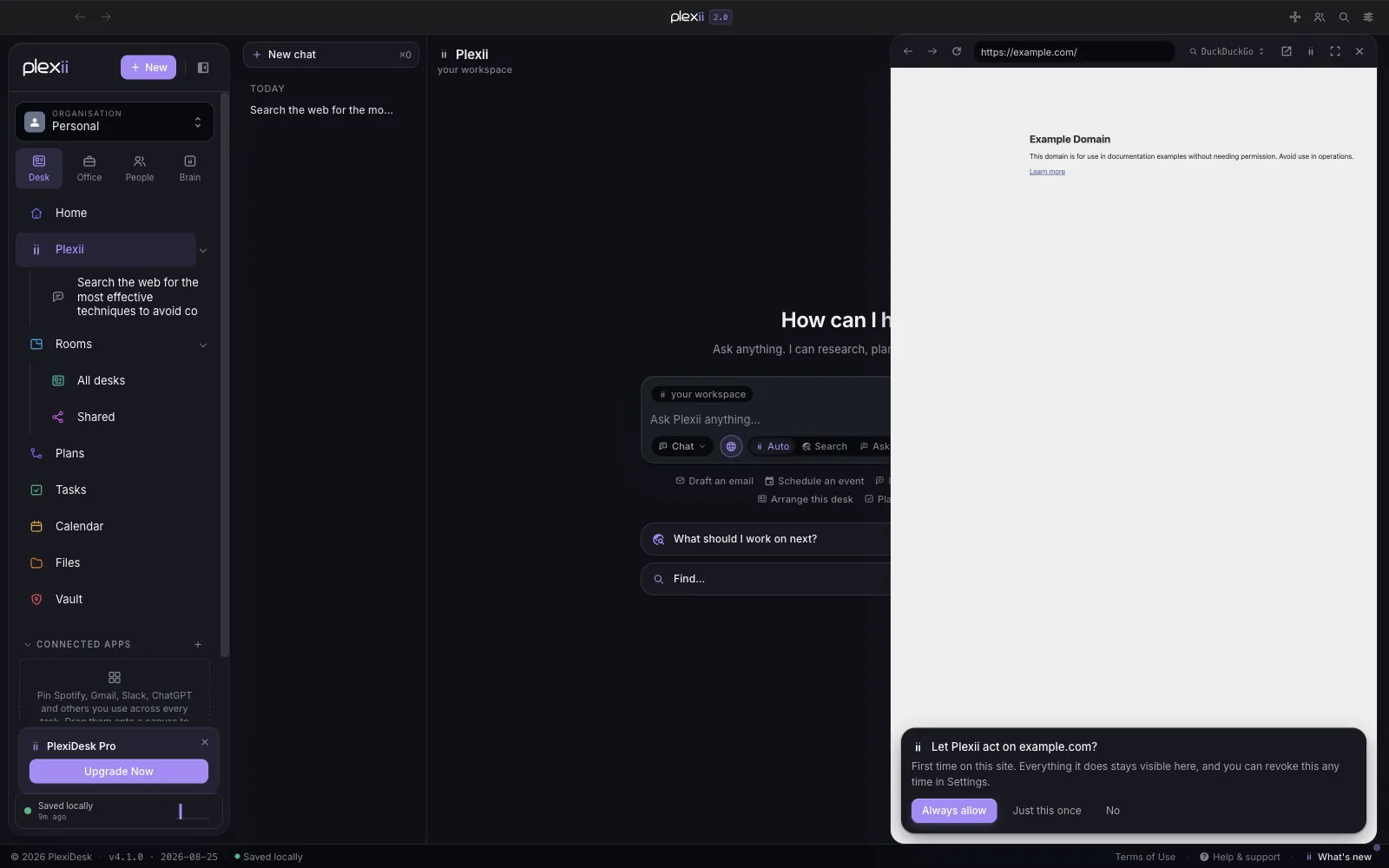
  • A built-in browser for looking things up, and sending a page to a desk when it matters.

The sheet you're checking sits right beside the doc you're writing. No copy and paste, no hunting for the latest version.

PlexiSheets with Plexii writing a formula from a plain-English question
Describe a calculation and Plexii writes the formula, previewed before it writes.

Plexii assistant

An assistant that does the work and shows you how.

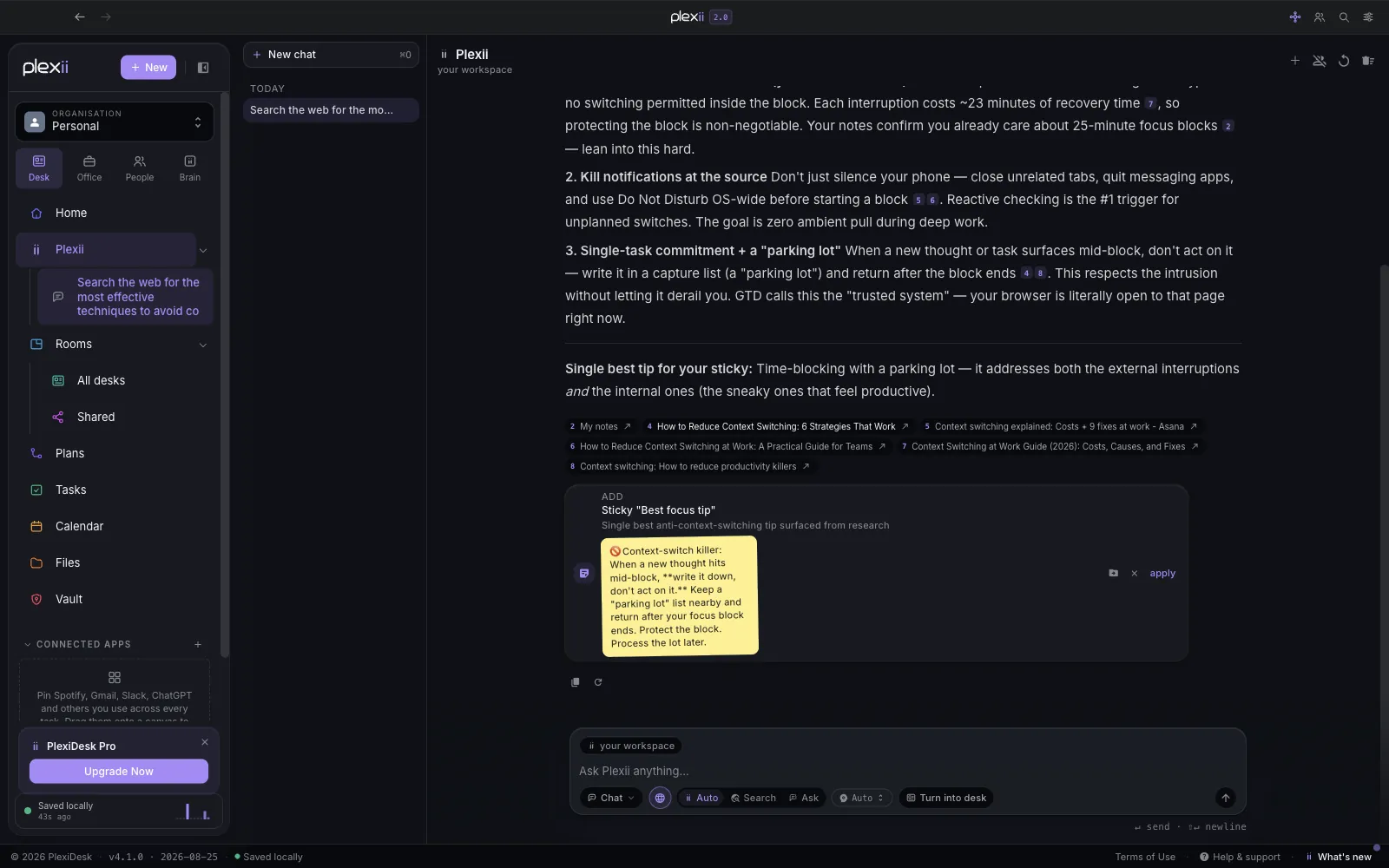
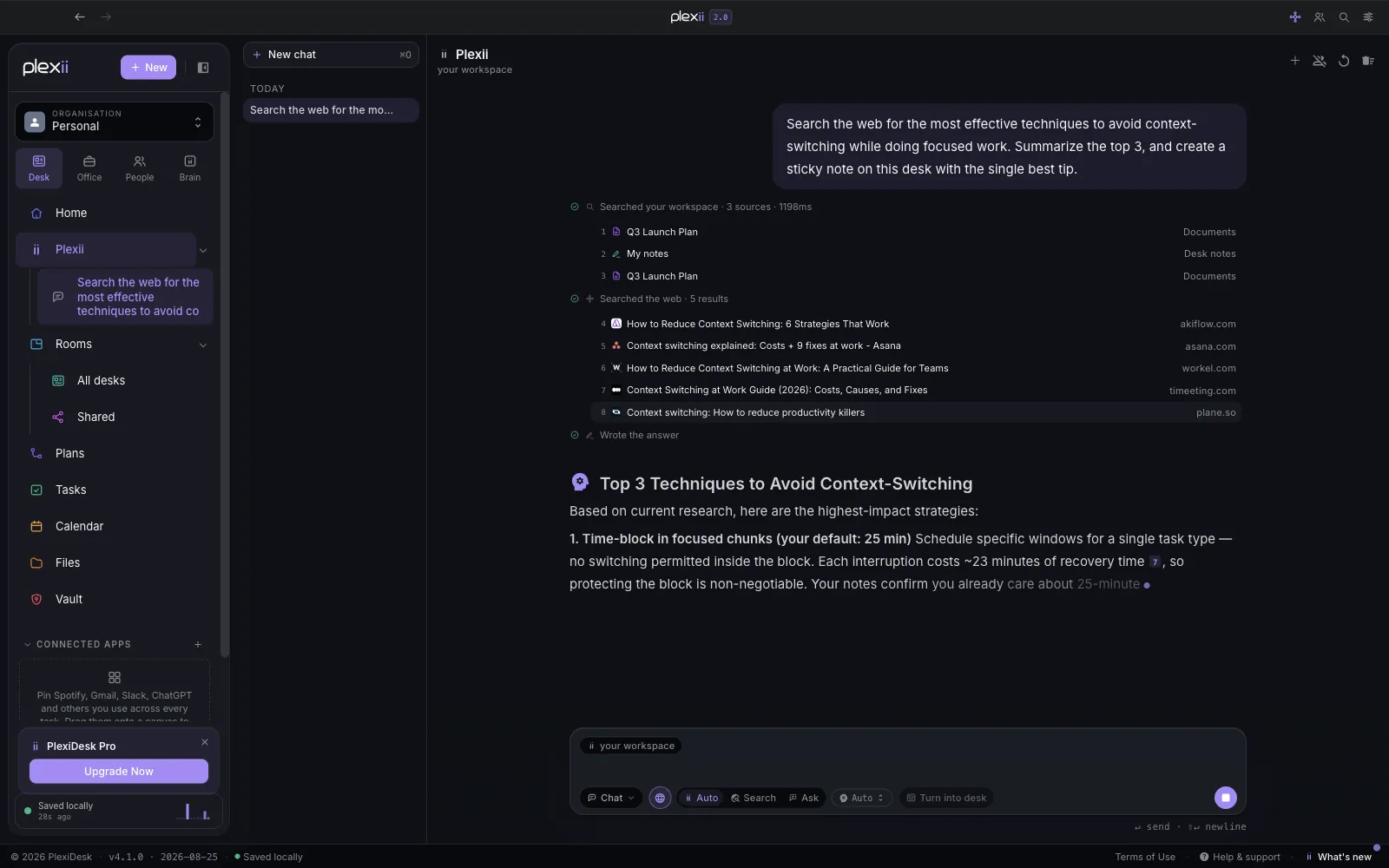
Plexii lives at the top of every editor and in its own hub. Ask in plain language and it answers from your documents, sheets, notes, tasks and tables across every desk, streaming the reply while a live trace shows what it read.

  • Citations you can open for every claim, and a plain "I couldn't find that" when it can't.
  • Review-and-apply cards: a table, a task, a calendar block or a whole document, each previewed before it lands.
  • Scope the question to the whole workspace or just the document you have open.
  • Multi-step work behind a consent gate, with a live run you can watch and a Stop button. It never signs in, pays or moves files for you.
  • Your key or ours: bring your own Anthropic key, or use managed Plexii on Pro with no setup. Usage and estimated spend are shown in Settings.

Live web search, assistant memory and the Plexii agent are included in Pro and Team.

A Plexii answer with the trace of sources it read and the web results it used
The trust trace: every source Plexii read, and how long it took.

Attention

Everything you owe, in one place.

Capture a task from a note, a highlight anywhere in the app, or the command palette. It comes back written up as a finished item you check before you keep it. Highlight a list and it becomes several items at once.

  • A command centre with your queue, the day ahead and your numbers on one screen.
  • Real project anatomy: status, urgency, tags and sub-items, dragged to reorder or reclassify.
  • Linked to its source, so an item born in a meeting opens that meeting.
  • On any desk as a widget, so a task's desk shows what it owes.

Nothing slips because it was written down in the wrong place.

AttentionToday
Send the vendor reportFrom: Vendor report, Mon
Confirm catering numbersFrom: Run sheet, Fri
Rerun the model without outliersFrom: Results, Tue
Book a session with financeFrom: Meeting, 3 Oct

Plans and calendar

Plan the work and block the time.

A Plan gathers the tasks, milestones and files for a project, a launch or a campaign, and opens on an overview of progress, dates and anything running late.

  • Timeline, board, grid, calendar and workload views of the same plan, plus a files view.
  • A time-blocking calendar: drag deadlines onto the day and book time for real work.
  • A daily brief that reads your tasks and calendar and proposes blocks you accept with a click.
  • Plexii can plan your day. Every block states its reason, and nothing is committed until you accept it.
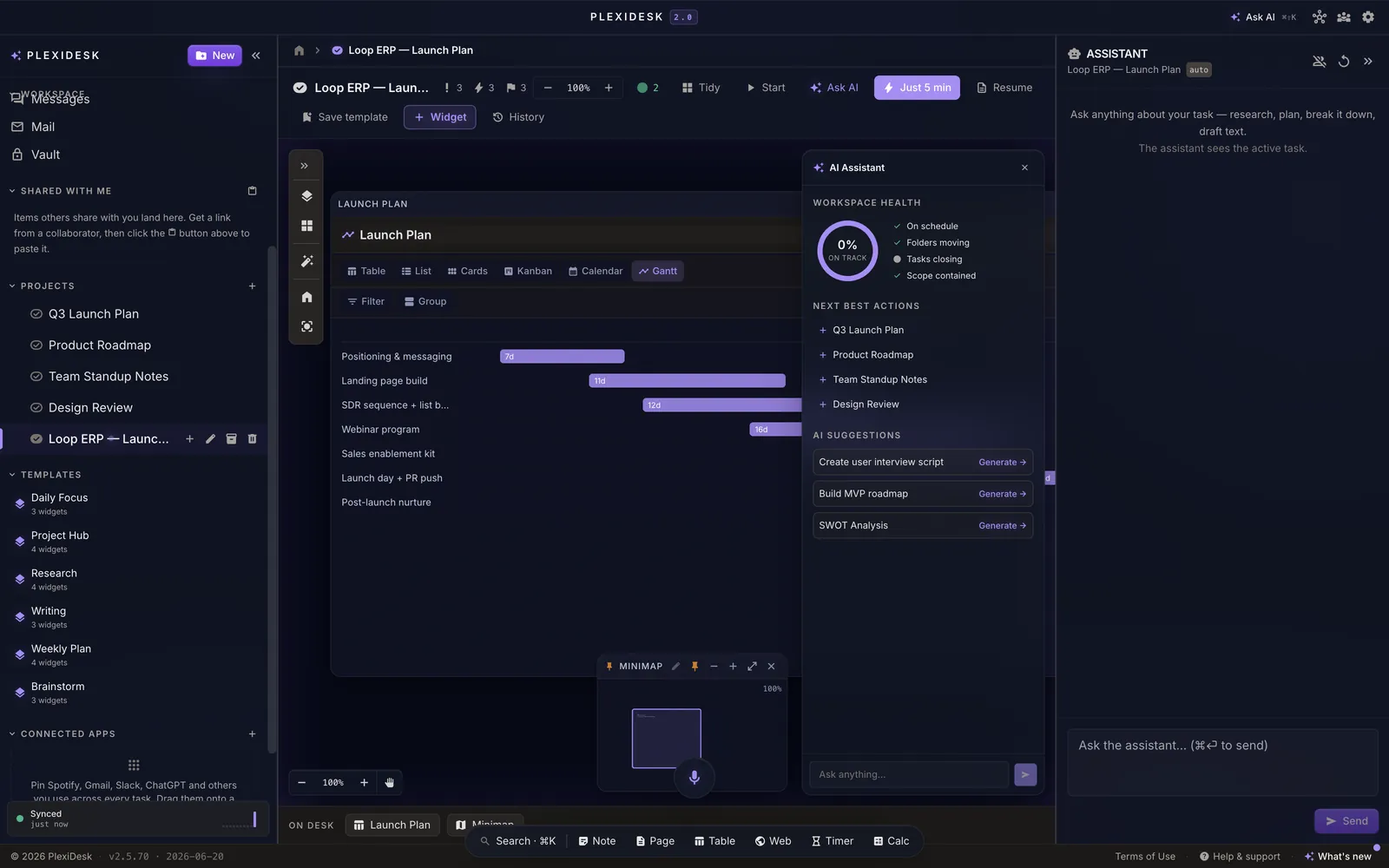
A launch plan table shown as a Gantt timeline
One click turns a table of tasks into a timeline.

Meetings, chat and calls

Talk where the work is.

Start a meeting from the Insert menu of any editor or from a chat, or schedule one from the calendar. PlexiChat, PlexiCam calls and PlexiMeet rooms all live in the same workspace as the work they're about.

  • Email invites with a one-click join link, and an .ics for Google, Outlook or Apple Calendar.
  • Choose what invitees can see: view for this meeting, view for good, or collaborate.
  • Transcripts filed as documents in a folder for that meeting. Transcription is opt-in.
  • Channels, direct messages, threads, video and voice messages, and a knock to reach a teammate.
  • Live co-editing of desks, documents, sheets and decks, on every plan.
#spring-launch
AvaDrafts look good. Moving the second one to Tuesday.
LeoHero image v3 is on the desk.
Meeting, 10:00Transcript filed in Spring launch / Meetings

Mail and PlexiSign

Your inbox and your signatures, next to the work.

Connect an email account and read, send, reply and file mail without leaving PlexiDesk. Each organisation keeps its own mailbox on your device. PlexiSign turns any document into a signature request.

  • Mail folders tied to desks and tasks by rules you write.
  • AI reply drafts you review and edit before anything is sent.
  • Ordered signers, typed or drawn signatures, an audit trail and a tamper-evident completion certificate.

AI reply drafts, mail triage and PlexiSign are included in Pro and Team.

Signature request

Services agreement

Sarah Lin
Signer 1 of 2 signedAudit trail

People and teams

Your team, with real names.

PlexiTeam is the home for the people you work with: a searchable directory built from your actual workspace, and a People Map that shows them across offices, a day-and-night world view and your organisation's structure.

  • Live presence showing who is around right now.
  • Multiple organisations, each with its own files, tasks, calendar, mail and apps, plus a Personal space.
  • For admins: roles, a central admin console, single sign-on and directory sync.

The People Map, directory and multiple organisations are part of Team.

People MapGlobal
SPNAL

Focus and lock-in

Lock in for five minutes.

Start a lock-in and the other desks go quiet, notifications hold and a timer runs at the top. Five minutes is small enough to start and big enough that you'll usually blow past it.

  • Side-quests become tasks: save a stray thought as a new task on a new desk in one click.
  • A one-line summary on return: what you did, where you stopped and the next step.
  • Focus timers on any desk, Pomodoro or free-form.
Lock-in
3:36

Other desks quiet. Notifications held.

Voice and SpeedDeck

Talk to your desk. Press one button.

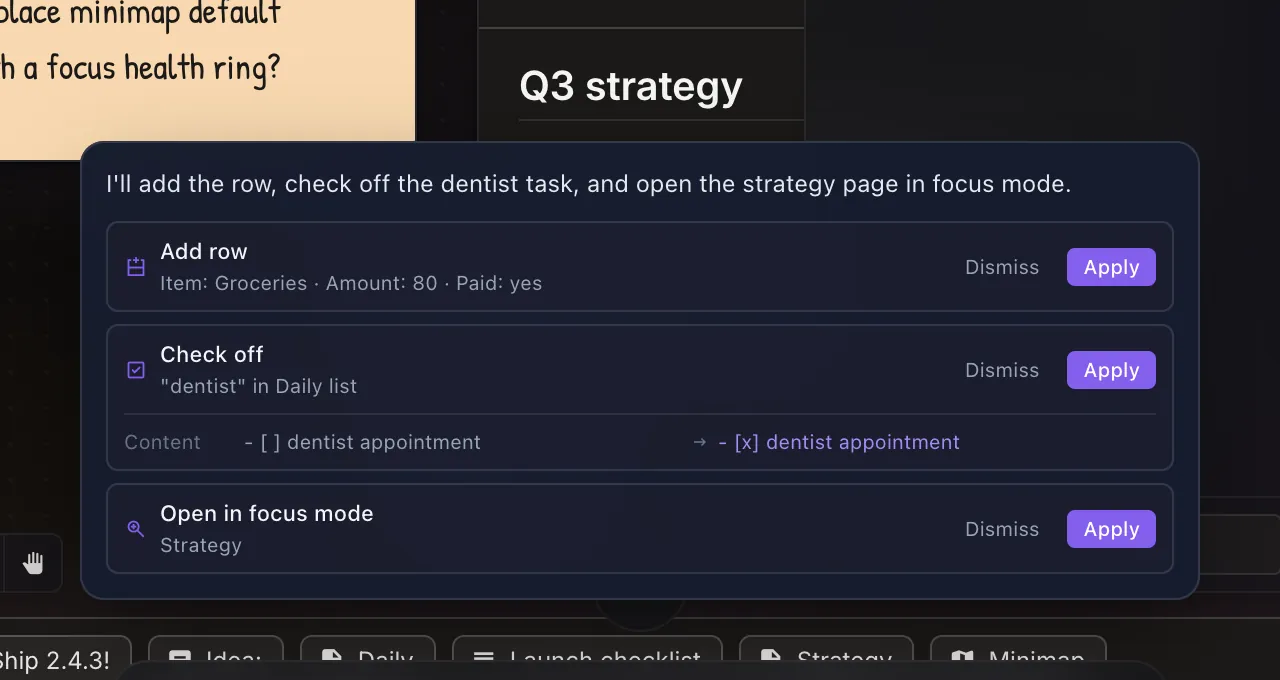
Hold the mic and say what you want. The transcript stages for correction, then Plexii streams proposals back as cards you apply or dismiss. SpeedDeck is a macro pad that lives on any canvas.

  • Live captions while you speak, and it never sends on its own.
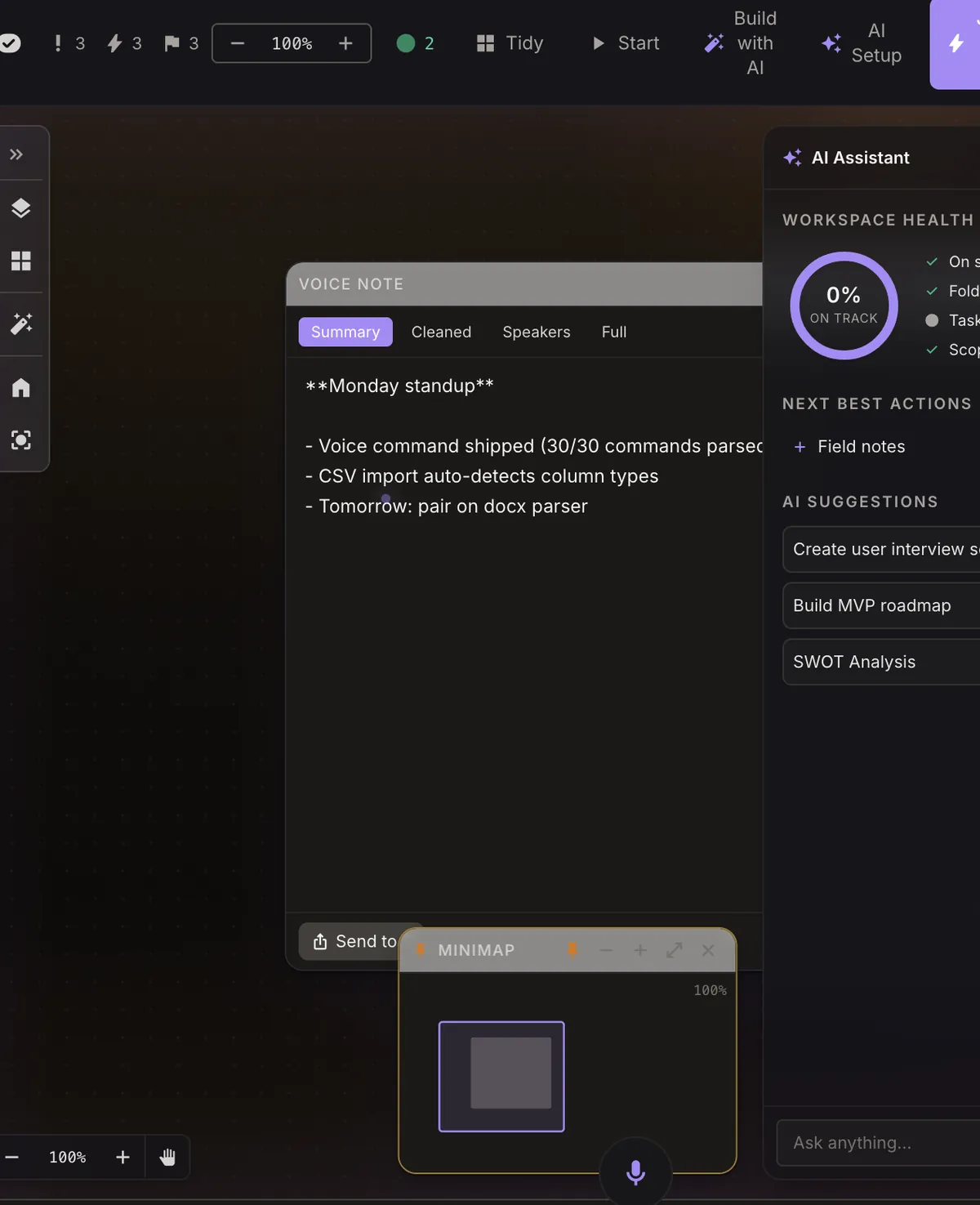
  • Voice notes that summarise themselves: full, cleaned, summary or speaker-separated transcripts.
  • SpeedDeck buttons for apps, key combos and multi-step macros, per task or everywhere.
Voice command results: three proposed changes, each with Apply or Dismiss
Say it, then review each change before it applies.

Files, sync and privacy

Local-first, with an account when you want one.

Your workspace lives on your device first and works offline. Create an account when you want sync across devices, sharing and a cloud inbox that receives shares while the app is closed.

  • A real drive where a file can live in every place it belongs, with smart folders and suggested tags you accept.
  • A master-password vault we never see and can't recover.
  • Two-factor sign-in, self-service password reset, and export of the whole workspace any time.
  • Plain facts on sync: encrypted in transit, not end-to-end encrypted, and only for features you choose to use.
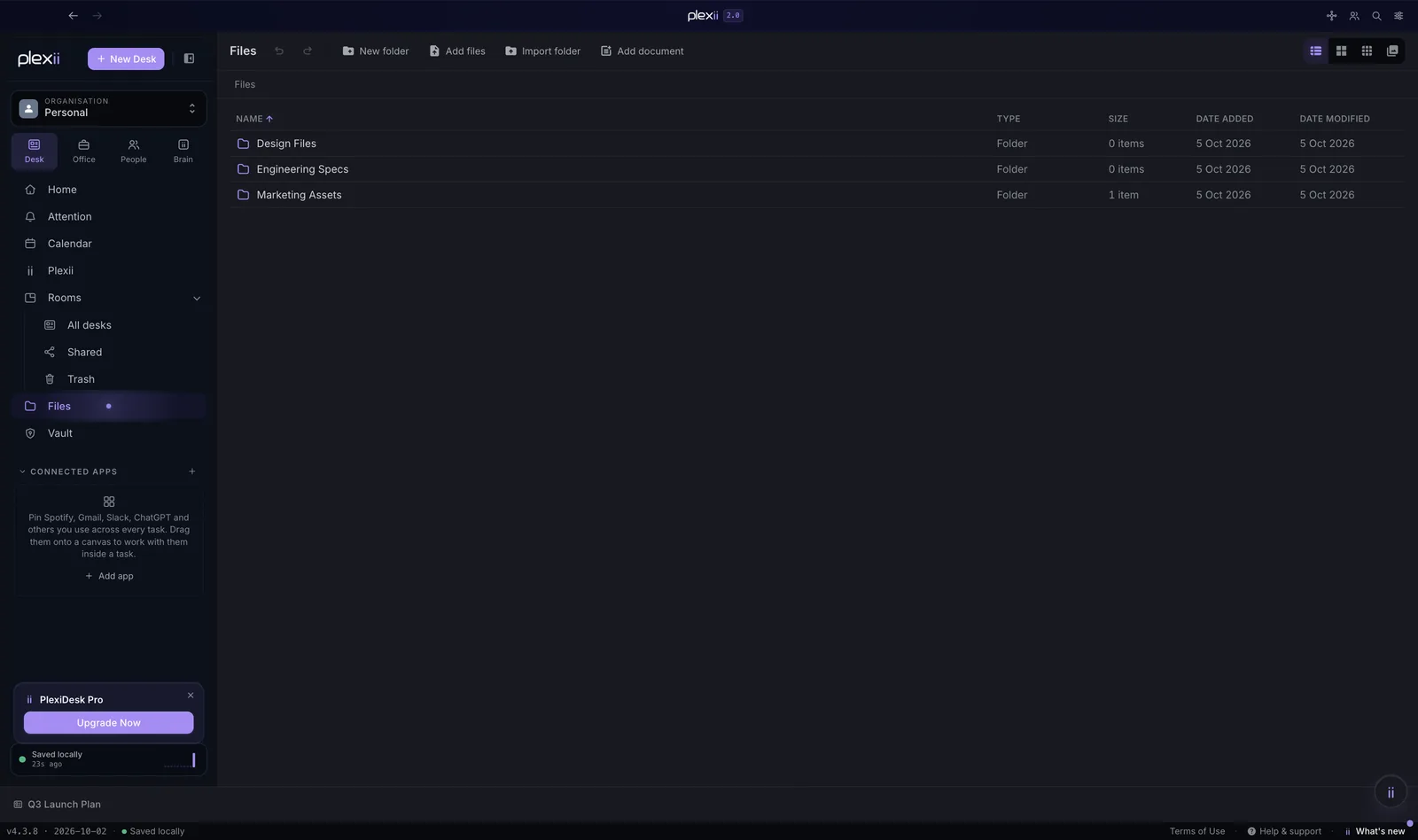
The Files view with folders, types, sizes and dates
Files, folders and documents in one drive.

See it with your own work on it.