Plexii vs Sunsama and Akiflow: plan the day, or plan it where you do the work?
One desk instead of ten apps: the calendar sits on the same desk as the work.
Short answer
Sunsama and Akiflow are daily planners. They help you put tasks onto your calendar. Plexii is a desktop app for Mac and Windows where each task gets its own desk, and the calendar sits on that desk with the work. If planning the day is the whole job, pick a planner. If you want the plan and the work in one place, try Plexii. It's free to download.
What each tool is for
Sunsama is a daily planner. Its pricing page calls it a serious planning and task management app. Akiflow is a task and calendar app: you capture tasks, plan them and block time in one place. Plexii is a desktop workspace. Each task gets a desk with its notes, tables, files, a live browser, a calendar and timers, so the plan and the work can sit together.
Plexii, Sunsama and Akiflow side by side
Prices checked 12 Nov 2026.
| Question | Plexii | Sunsama | Akiflow |
|---|---|---|---|
| What it is | A desktop workspace. Each task gets a desk with its notes, tables, files, a live browser, a calendar and timers. | A daily planner. Its pricing page calls it a serious planning and task management app. | A task and calendar app. You capture tasks, plan them and block time in one place. |
| Where it runs | Desktop app for Mac and Windows. | Desktop app for Mac and Windows, plus iOS and Android companion apps. | Its feature list includes a desktop app and a mobile app. |
| Time blocking | A time blocking calendar. Drag a task onto the day to book time. | Planning tasks onto your calendar is the core of the product. | Its feature list includes time blocking, a daily planning ritual, quick capture, and Google and Outlook calendar sync. |
| Does the work happen in the app? | Yes. PlexiiWrite, PlexiiCells, PlexiiDeck and a live browser sit on the desk. | Its pricing page doesn't describe documents or an office suite. | Its pricing page doesn't describe documents or an office suite. |
| Free to use? | Yes. Free to download. | No. Sunsama says it doesn't have a free forever plan and doesn't plan to. | No. Akiflow says it has no free plan. |
| Price | Free to download. See Pricing. | US$17 a month billed yearly, or US$22 a month billed monthly, per person. | US$19 a month billed yearly (US$228 a year), or US$34 a month billed monthly. |
| Trial | Not needed to start. Download free. | Sunsama doesn't ask for a card until the trial is over. | 7 days. A card is required, and the subscription starts after the trial unless you cancel. |
This page does not claim that Plexii syncs with Google Calendar or Outlook. Akiflow's own feature list, checked on its pricing page on 12 Nov 2026, includes Google and Outlook calendar sync.
When Sunsama is the better pick
Choose Sunsama if planning the day is the job, and you want a daily planning ritual with a desktop app and phone companion apps. Plexii does not run on a phone.
When Akiflow is the better pick
Choose Akiflow if you rely on a task inbox fed from other apps, or on the Google and Outlook calendar sync listed on its pricing page. Check Plexii's current connections on the product page before you switch; this page does not list Plexii integrations that we have not confirmed.
When Plexii is the better pick
Choose Plexii if you want the calendar on the same desk as the document, the notes and the browser tab for that work, on a Mac or Windows computer. It's free to download.
When Plexii isn't the right fit
Plexii isn't the right fit if you want a planner on your phone, if you are already happy with a calendar-first planning ritual, or if you rely on app connections that Plexii does not offer. Confirm connections on the product page or in Help rather than assuming they match Akiflow's list.
How time blocking works on a Plexii desk
On a Plexii desk you can drag a task onto the day to book time, so the calendar and the work sit together. Time blocking calendar: plan a day you can finish explains the method. If you only want to try the shape of a day in the browser, use the free time-blocking planner.
Put the plan on the same desk as the work.
Pricing, trials and platforms
Plexii is free to download for Mac and Windows. Details live on the Plexii pricing page. Sunsama and Akiflow prices and trials above were taken from their official pricing pages on 12 Nov 2026. Re-check those pages if you are deciding later; prices go stale.
Questions
Is Plexii a Sunsama alternative?
It can be, if you want your calendar next to the work on a Mac or Windows computer. It isn't a daily planning ritual app like Sunsama.
Can Plexii replace Akiflow?
That depends on how much you use Akiflow to pull in tasks from other apps. Check which connections Plexii has today on plexiidesk.com/product before you switch.
Which one is free?
Plexii is free to download. Sunsama and Akiflow both say on their pricing pages that they have no free plan.
Does Plexii run on a phone?
No. Plexii is a desktop app for Mac and Windows.
Where do I start?
Download Plexii free. If you only want to try time blocking in your browser first, use the free time blocking planner.
Download Plexii free for Mac or Windows.
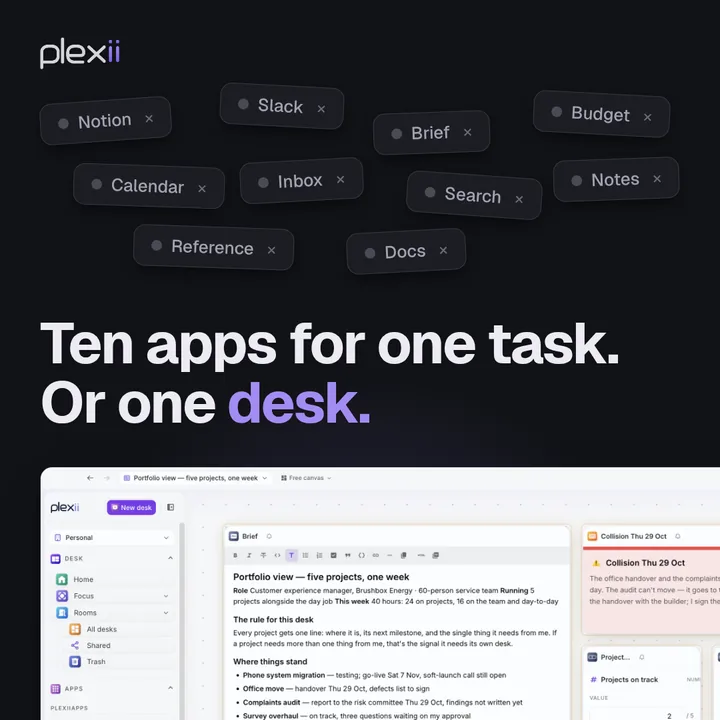
Prices checked 12 Nov 2026, against the official pages: sunsama.com/pricing, Sunsama help FAQ (platforms), akiflow.com/pricing, plexiidesk.com/product, plexiidesk.com/pricing, and Plexii help: Plan my day. Graphic claims on this page (one desk per task; docs, sheets, notes and a live browser side by side) were checked against the live Plexii site on 12 Nov 2026: plexiidesk.com and /product. “Ten apps” and “ten tabs” on the graphic are illustrative framing, not a measured statistic. The 9:16 versions of the graphic are not used on this page.